
Recruiters Spend Huge Time for Screening Candidates. Here's How We Fixed It.
4-week UX redesign focused on streamlining recruiter workflows on an AI-powered hiring platform.
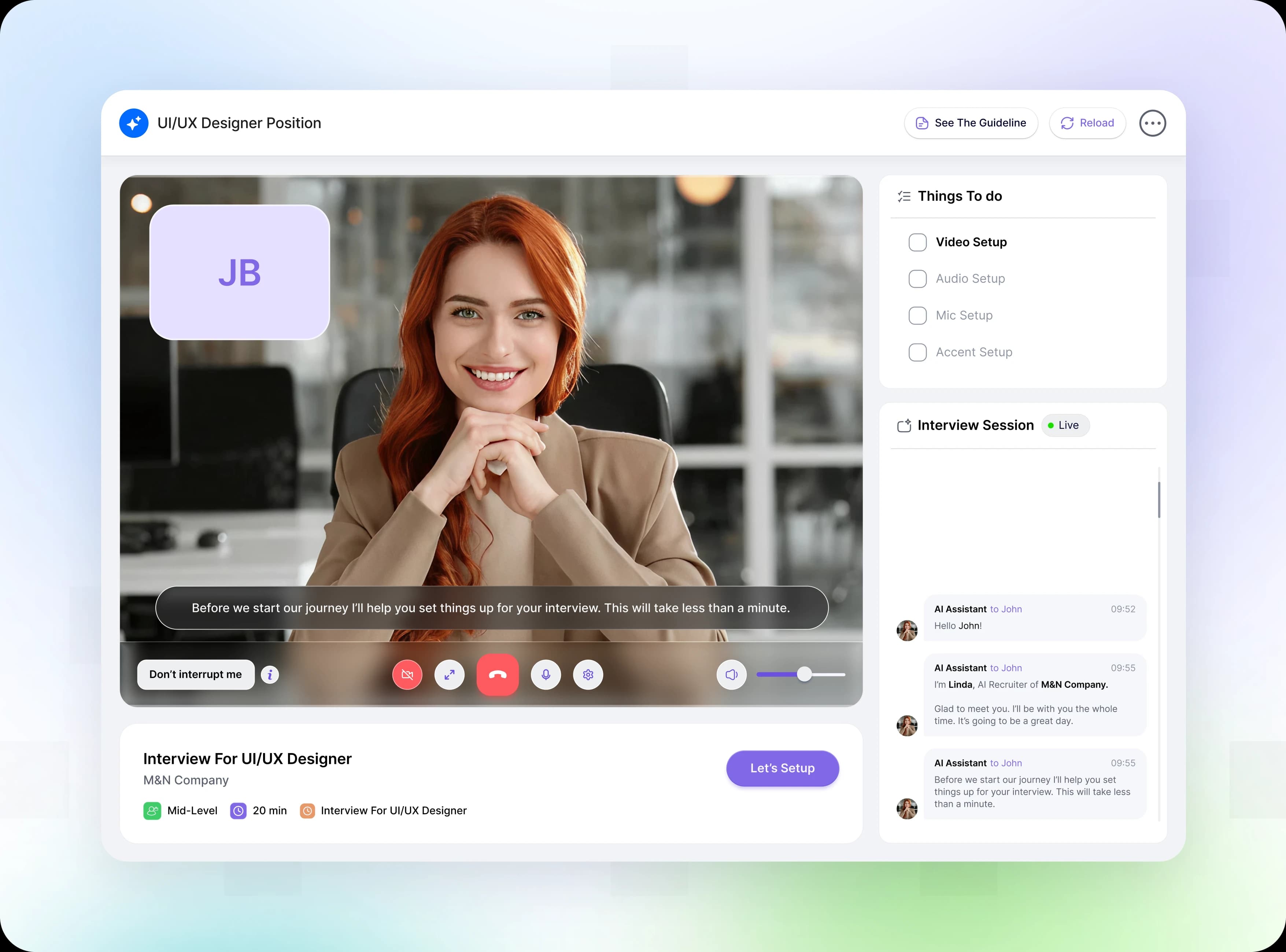
Recently, a conversation with a recruiter revealed a critical flaw in modern AI hiring tools. Despite receiving hundreds of applications, finding qualified candidates still meant hours of manual screening, repetitive data entry, and switching between disconnected tools. The workload kept growing, but the time to make confident hiring decisions remained limited.
This real-world frustration inspired our team, OFNAV, to dive deep into HIREAI. Despite its powerful AI capabilities, we discovered that recruiters were still doing too much of the work themselves. Important candidate information was scattered, AI recommendations lacked a clear review process, and recruiters struggled to move from a large applicant pool to a confident shortlist.
Over an intensive four-week sprint, Team OFNAV investigated the root causes of recruiter inefficiency and redesigned the workflow around AI-assisted screening, centralized candidate insights, and faster decision-making. Our goal was simple: reduce administrative effort, improve candidate visibility, and help recruiters focus on the people who matter most.
Here is the story of how we transformed recruiter workflows, starting with the biggest bottlenecks...
Logo Formation
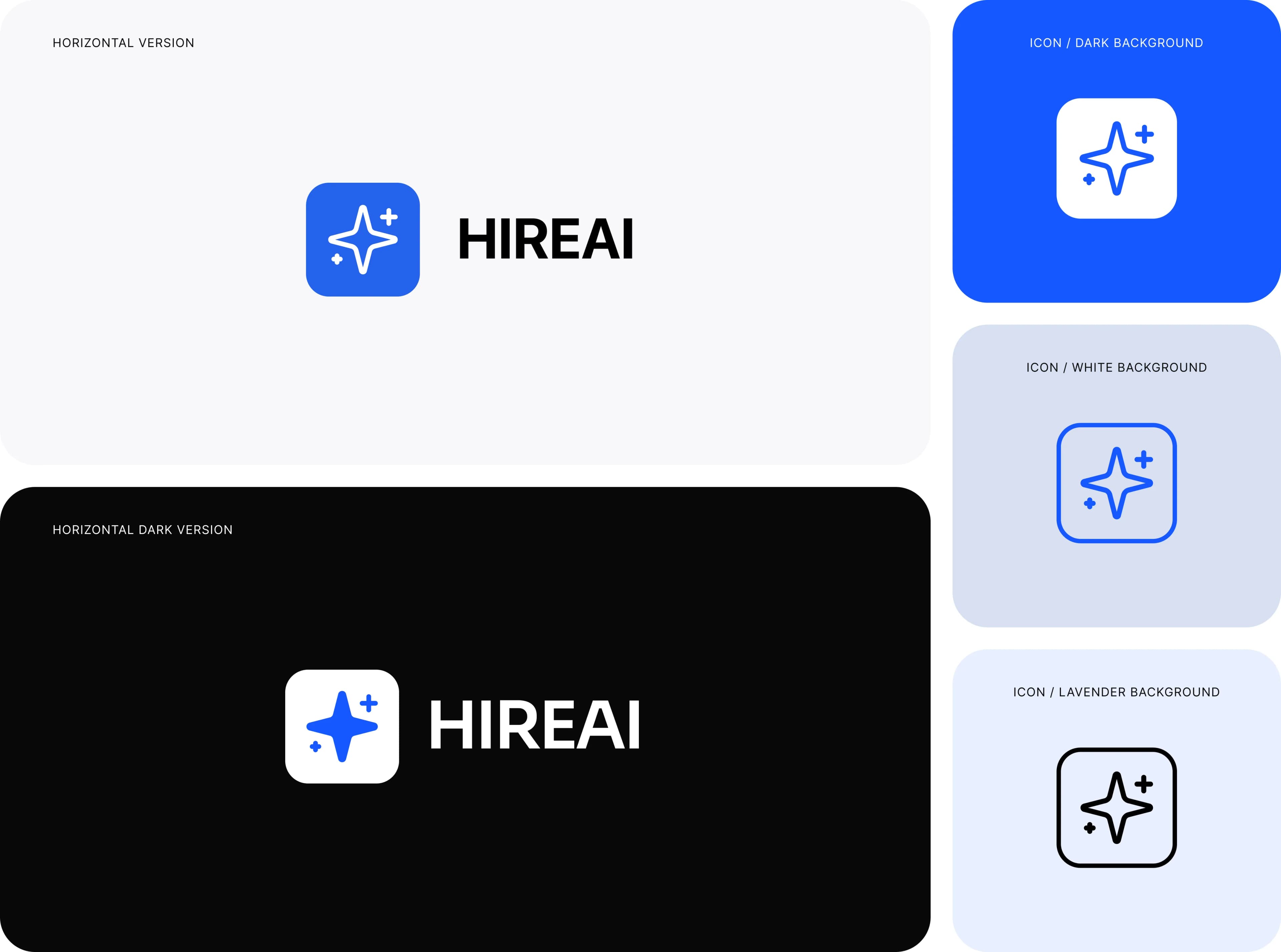
HIREAI uses a distinctive spark-inspired symbol to represent AI interviews without making the overall experience feel unfamiliar.
The spark symbolizes intelligence and creativity, while its clean form and blue-and-white palette create a consistent, modern identity across the HIREAI experience.
This study explores the logo symbol and its applications across the HIREAI interview experience and digital touchpoints.
The Problem: Powerful AI, But Overwhelmed Recruiters
HIREAI had the intelligence to transform hiring. It could screen candidates, analyze applications, and support recruitment decisions.
But recruiters were still buried under applications, switching between profiles, and spending hours identifying the right people.
Think about what this means. A company pays for a hiring tool. Applications keep coming in. But recruiters spend hours reviewing profiles, sorting through irrelevant candidates, and chasing information, before they can find the people who truly deserve their attention.
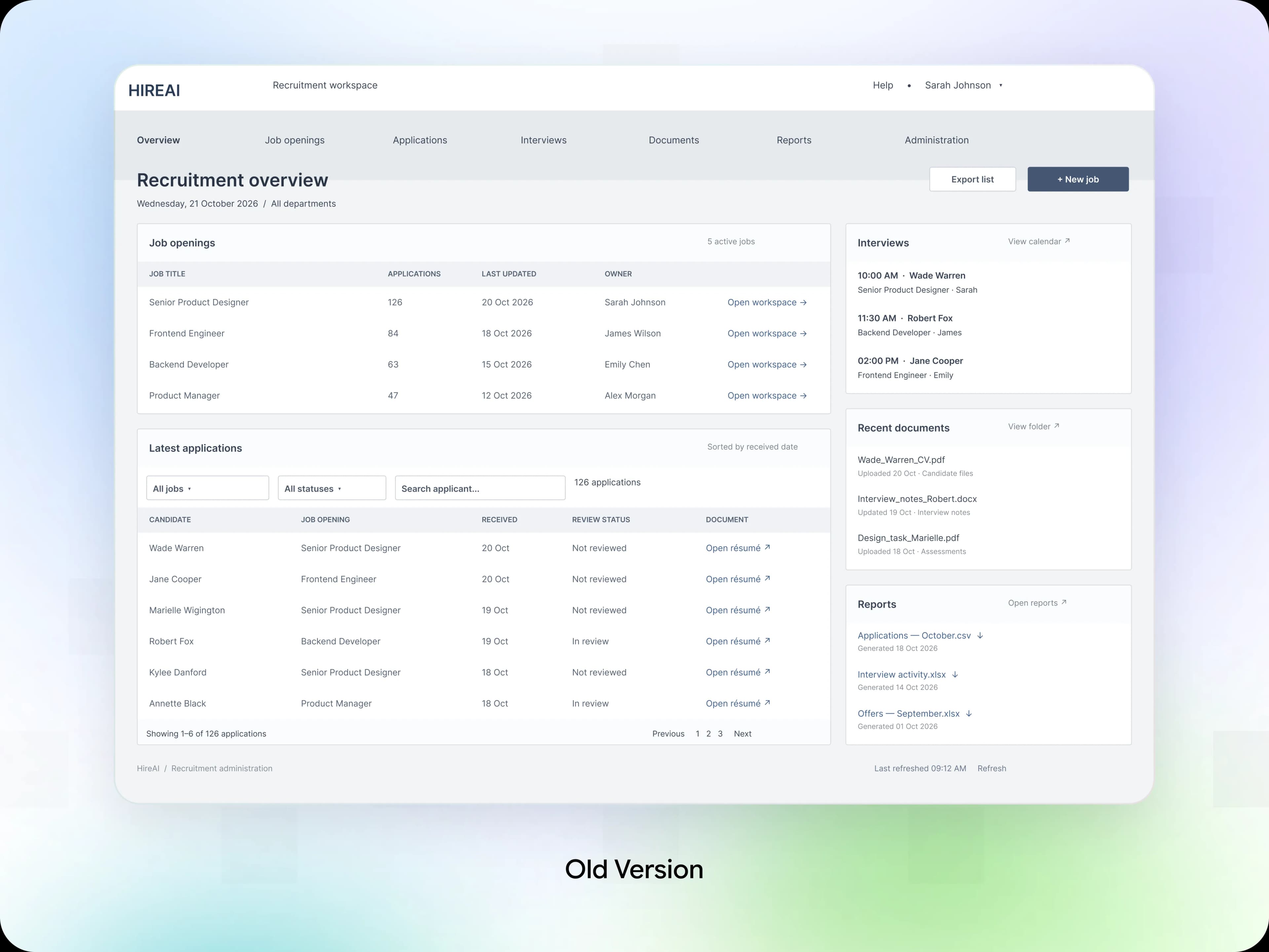
What We Found: Recruiters Had the Data, but Not the Clarity
When we looked closely at the old workflow, one thing stood out. Recruiters had plenty of candidate data, but too much of the work was still manual. Screening was slow, priorities were unclear, and important insights were easy to miss. Behind that problem were four simple issues:
Manual Screening
Recruiters spent hours reviewing applications.
Unclear Priorities
It was difficult to identify the strongest candidates.
Scattered Information
Candidate details were spread across different views.
Slow Decisions
Recruiters struggled to move qualified candidates forward efficiently.
Now Look at It From the Recruiter's Side. This Is What They Felt:
Too many applications to review.
No clear way to prioritize candidates.
Important details were easy to overlook.
Hiring decisions took longer than they should.

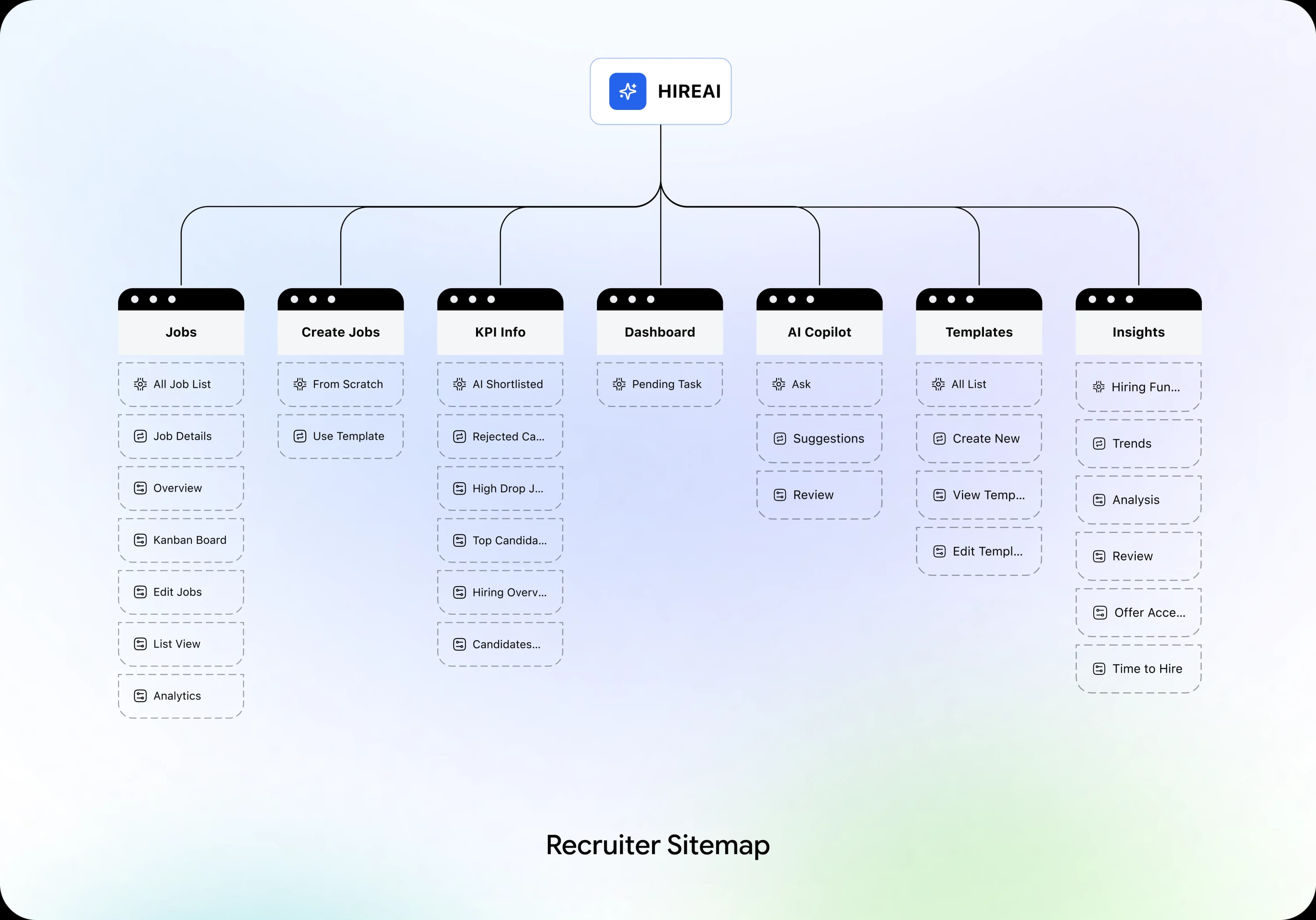
Information Architecture
Before designing a single screen, we mapped the recruiter workflow from application review to final selection. The rule was simple: every step must support a decision. If a feature did not help recruiters screen, evaluate, or advance candidates, it did not belong.
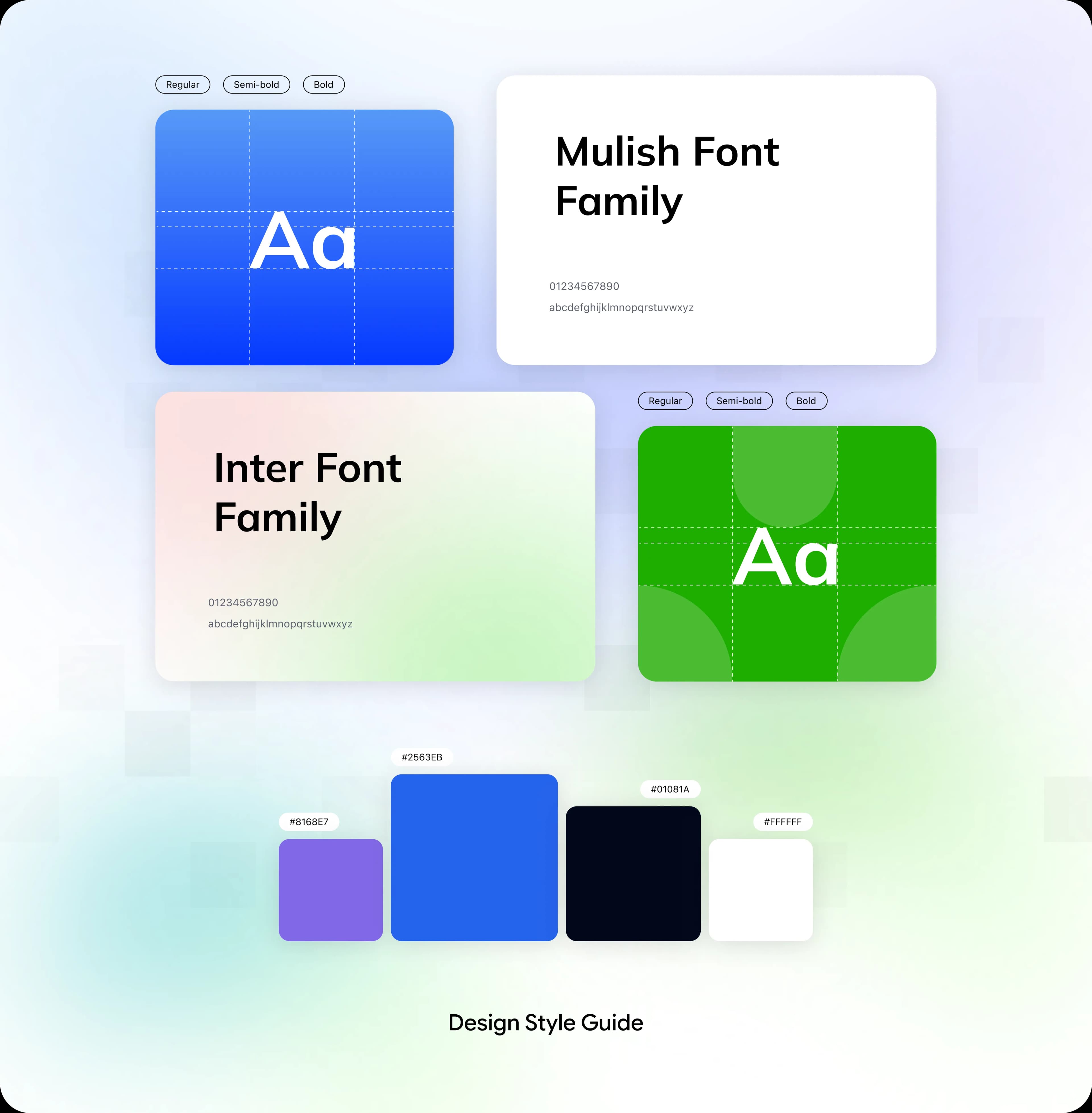
A Small Design System Built for Faster, More Consistent Hiring
Good recruiting feels effortless when every decision is clear. And clarity does not happen by accident. So we built a focused design system to help recruiters screen, review, and shortlist candidates with confidence.
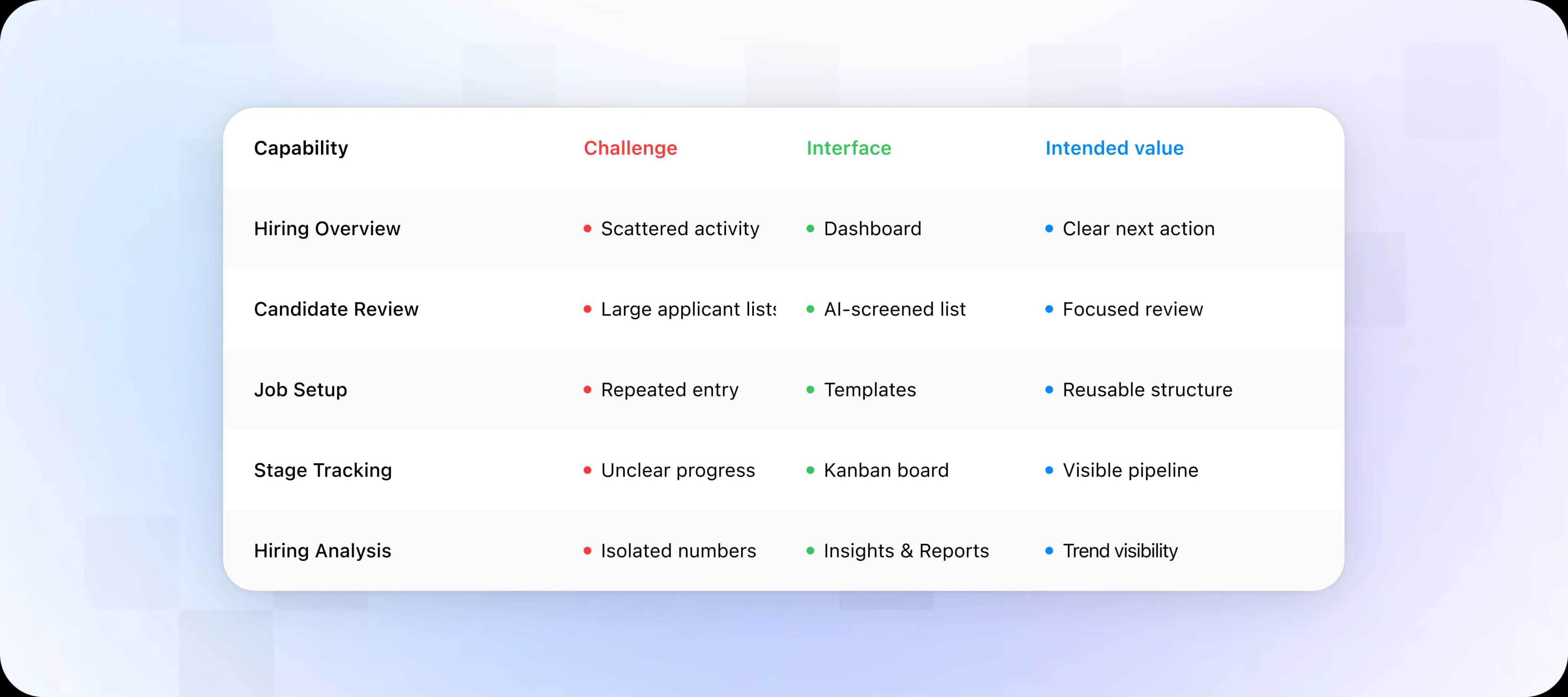
Four Hiring Problems, Four UX Design Solutions
The recruiter experience is built around one principle: AI helps recruiters work faster, while humans stay in control of hiring decisions. Four design solutions connect job management, candidate screening, pipeline tracking, and decision support.
Problem: Fragmented Job Management
Recruiters manage multiple job openings, applications, and hiring stages across different workflows. This makes it difficult to track progress and prioritize tasks.
Solution: Centralized Job Management
We designed a unified job workspace with job overviews, application tracking, and a Kanban board, helping recruiters manage hiring activities in one place.
Problem: Candidate Screening Takes Too Much Time
Reviewing large numbers of applications manually makes it difficult to identify qualified candidates and prioritize the strongest matches.
Solution: AI-Powered Candidate Screening
We introduced an AI-screened candidate list that helps recruiters discover shortlisted applicants, review candidate information, and focus on relevant profiles.
Problem: Recruiters Lack Contextual Decision Support
Recruiters often need to compare candidates, understand hiring progress, and identify next steps without manually gathering information from multiple screens.
Solution: Context-Aware AI Copilot
We designed an AI Copilot that allows recruiters to ask hiring-related questions, explore candidate recommendations, and receive contextual assistance while retaining control over final decisions.
Problem: Limited Visibility Into Hiring Performance
Without consolidated insights, recruiters struggle to understand hiring trends, evaluate pipeline efficiency, and identify areas for improvement.
Solution: Actionable Hiring Analytics
We designed an Insights & Reports dashboard that brings hiring metrics, trends, and performance indicators together, helping teams make more informed decisions.
The Recruiter Workflow: Less Manual Work, More Clarity
We mapped the full recruitment workflow so every step from candidate screening to final selection was purposeful. AI supports recruiters at every stage.

From Wireframes to High-Fidelity Screens
We designed in two passes. First, we simplified the recruiter's workflow. Then, we refined the interface to make screening faster and clearer.
Low-Fidelity Wireframes
The wireframes focused on function, not visual polish. They helped validate the dashboard structure, candidate information, screening priorities, and placement of AI-powered insights before moving to high-fidelity design.

High-Fidelity Designs
Once the recruiter workflow was mapped and the design system was ready, we moved to the final screens. We designed a streamlined experience to help recruiters review candidates, prioritize talent, and make quick hiring decisions.
One thing stays consistent across the experience: candidate information, AI insights, and hiring actions are organized in a clear, structured workspace. This helps recruiters review applications and shortlist candidates without losing context.
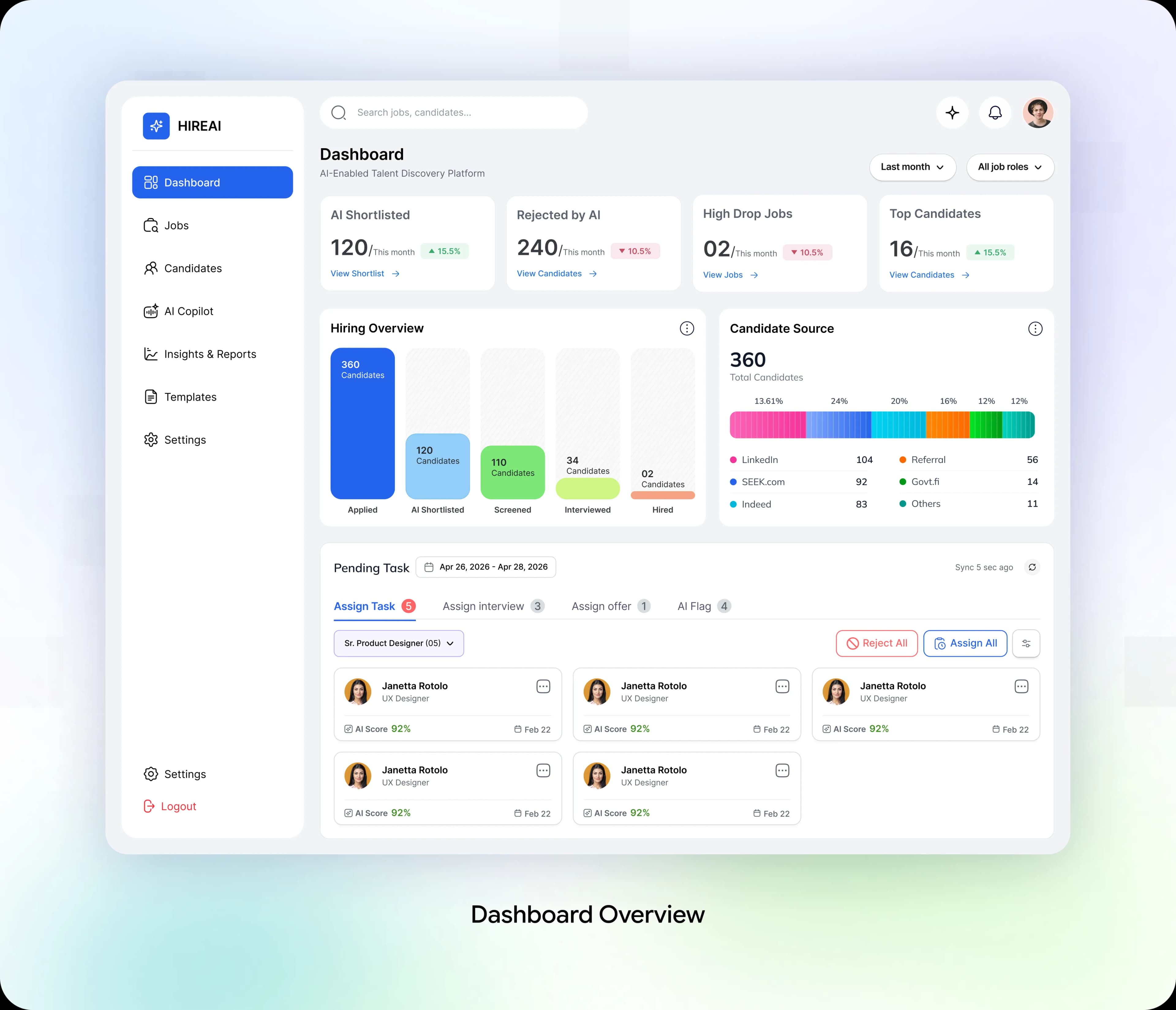
Dashboard: See What Needs Attention
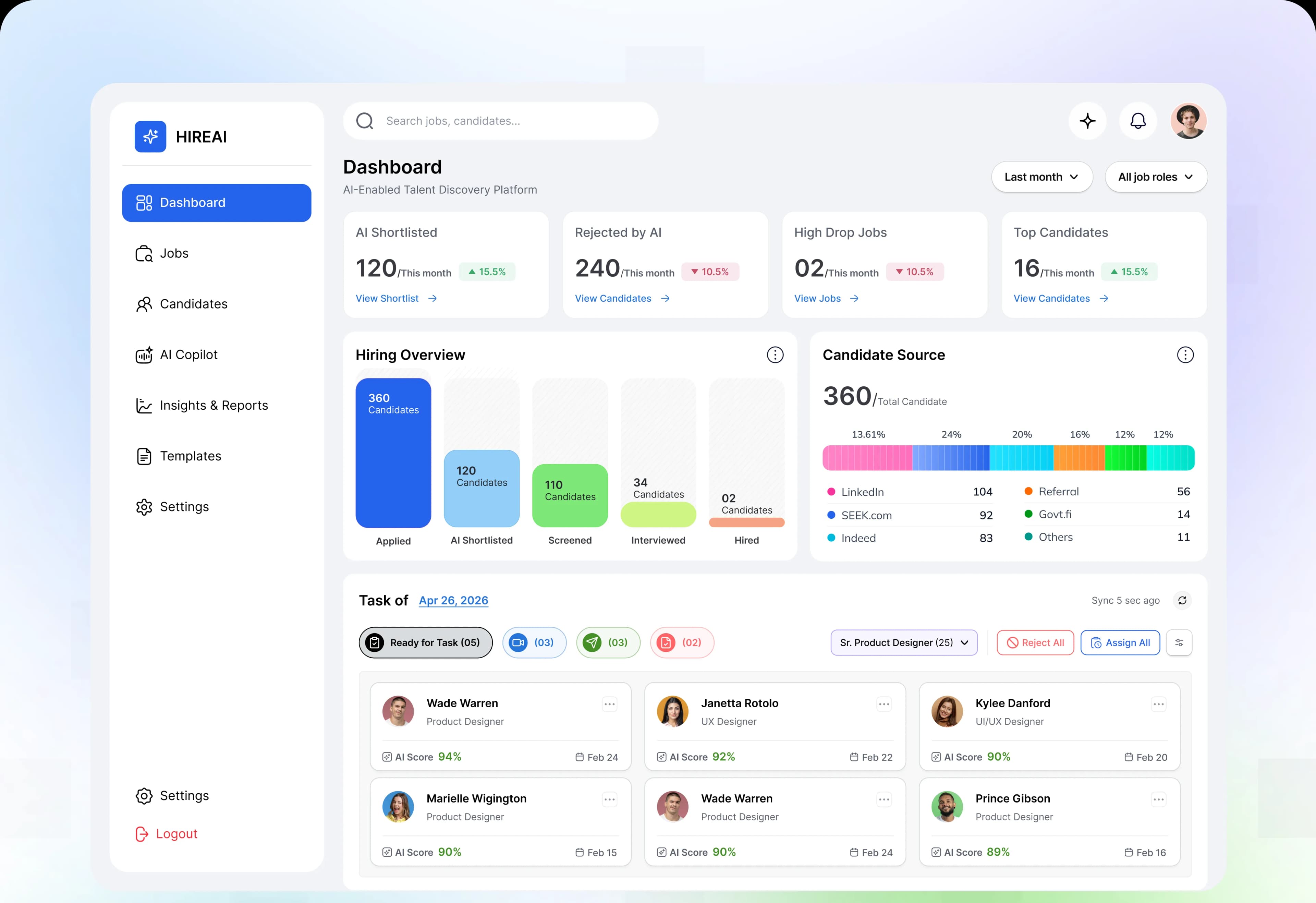
The dashboard brings AI Shortlisted, hiring progress, candidate sources, and pending tasks into one view. Recruiters can identify where applications are building up, review top candidates, and move directly to the work that needs their attention.
Design Decision:
Place hiring metrics alongside candidate lists and task actions. This connects the overall hiring picture with the next practical step, helping recruiters prioritize reviews without switching between separate reports.
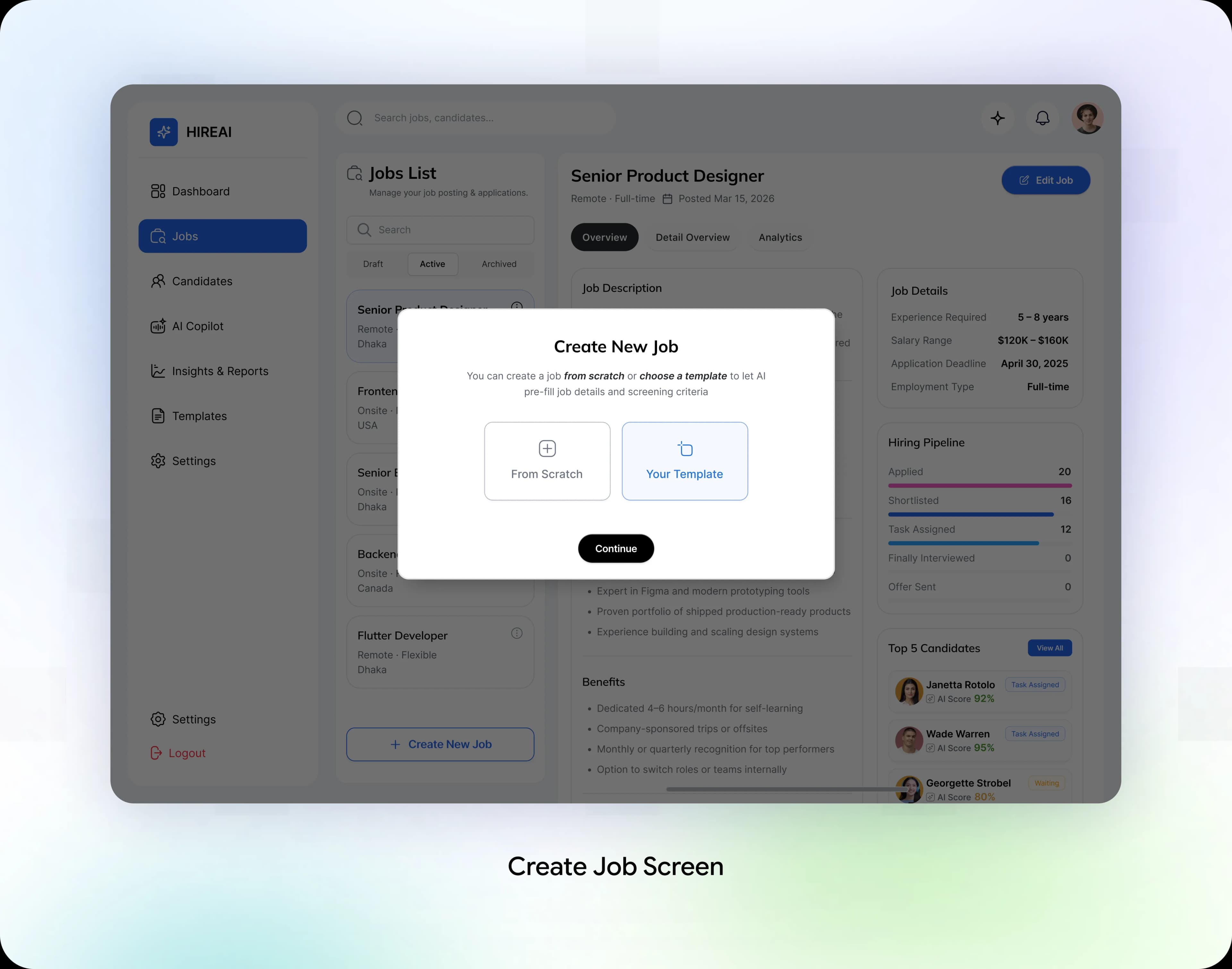
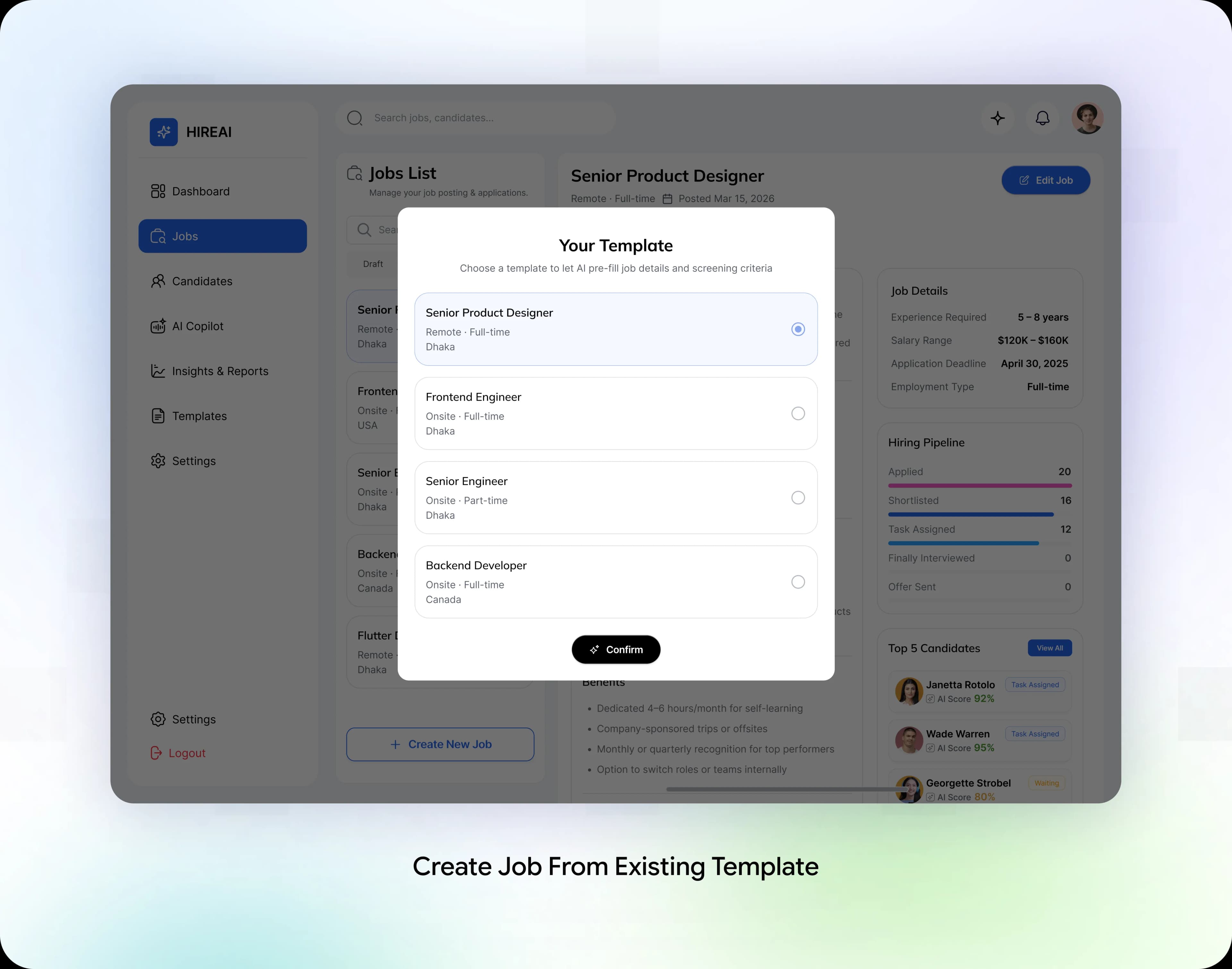
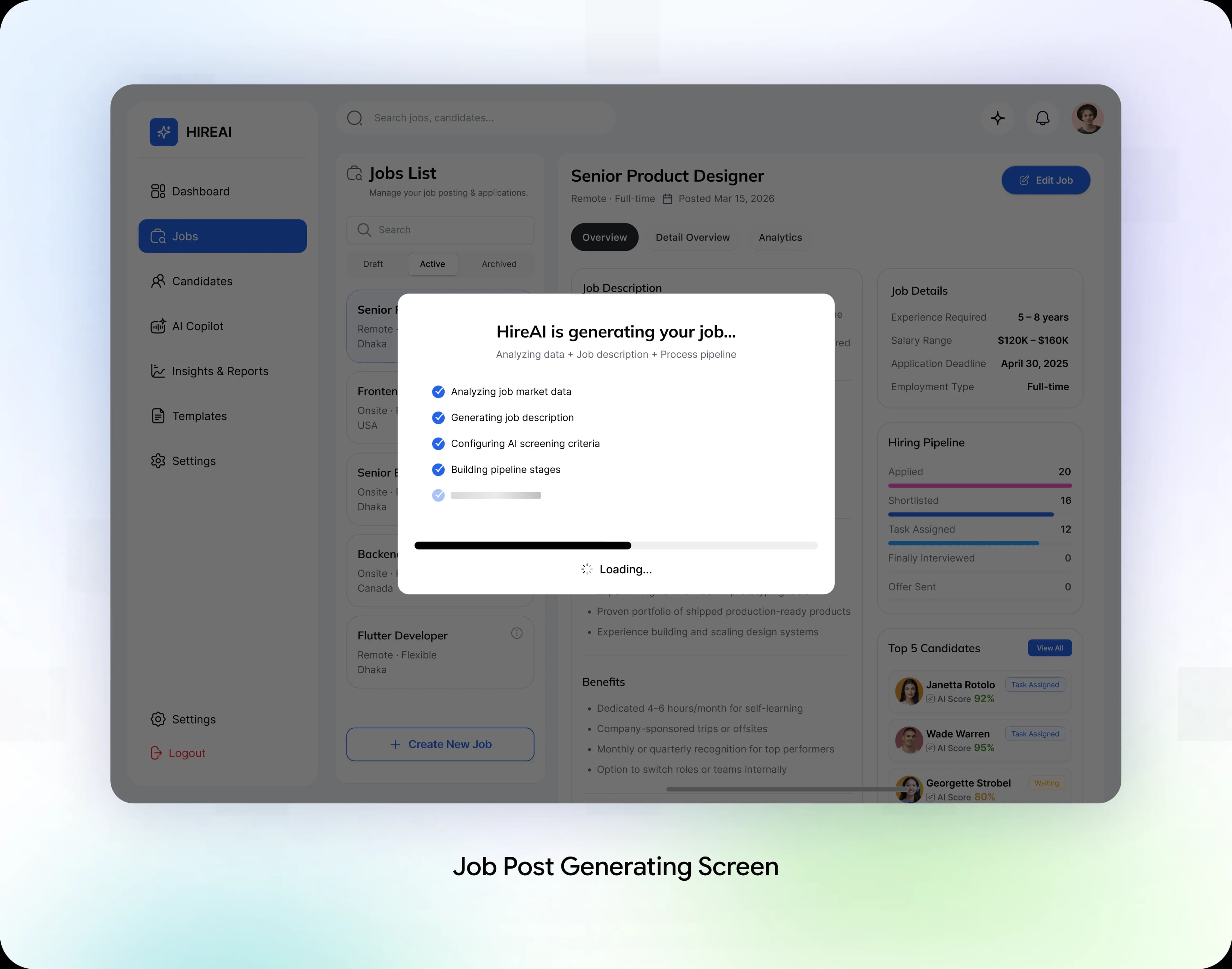
Job Setup: Start Fresh or Reuse a Template
Recruiters can create a job from scratch or use an existing template. HIREAI generates a job description, screening criteria, and pipeline stages for the recruiter to review.
Design Decision:
Support both new roles and repeat hiring with clear entry points. Reusable templates provide a starting structure, while a review step keeps job requirements and screening criteria under recruiter control.
Candidate Review: Put AI Scores in Context
The AI Screened list brings candidate names, roles, skills, and AI scores together. Recruiters can scan the shortlist, open individual records, and decide who to invite or reject after reviewing the available information.
Design Decision:
Show skills beside AI scores so recruiters have more context for review. Keep candidate details accessible and progression decisions in human hands.

Hiring Pipeline: Keep Every Stage Visible
The Kanban board groups candidates by stage, from interview and shortlist to tasks, final interview, and offer sent.
Design Decision:
Use consistent candidate cards across stages to make progress easy to scan. Keep the job context visible while recruiters manage the pipeline.

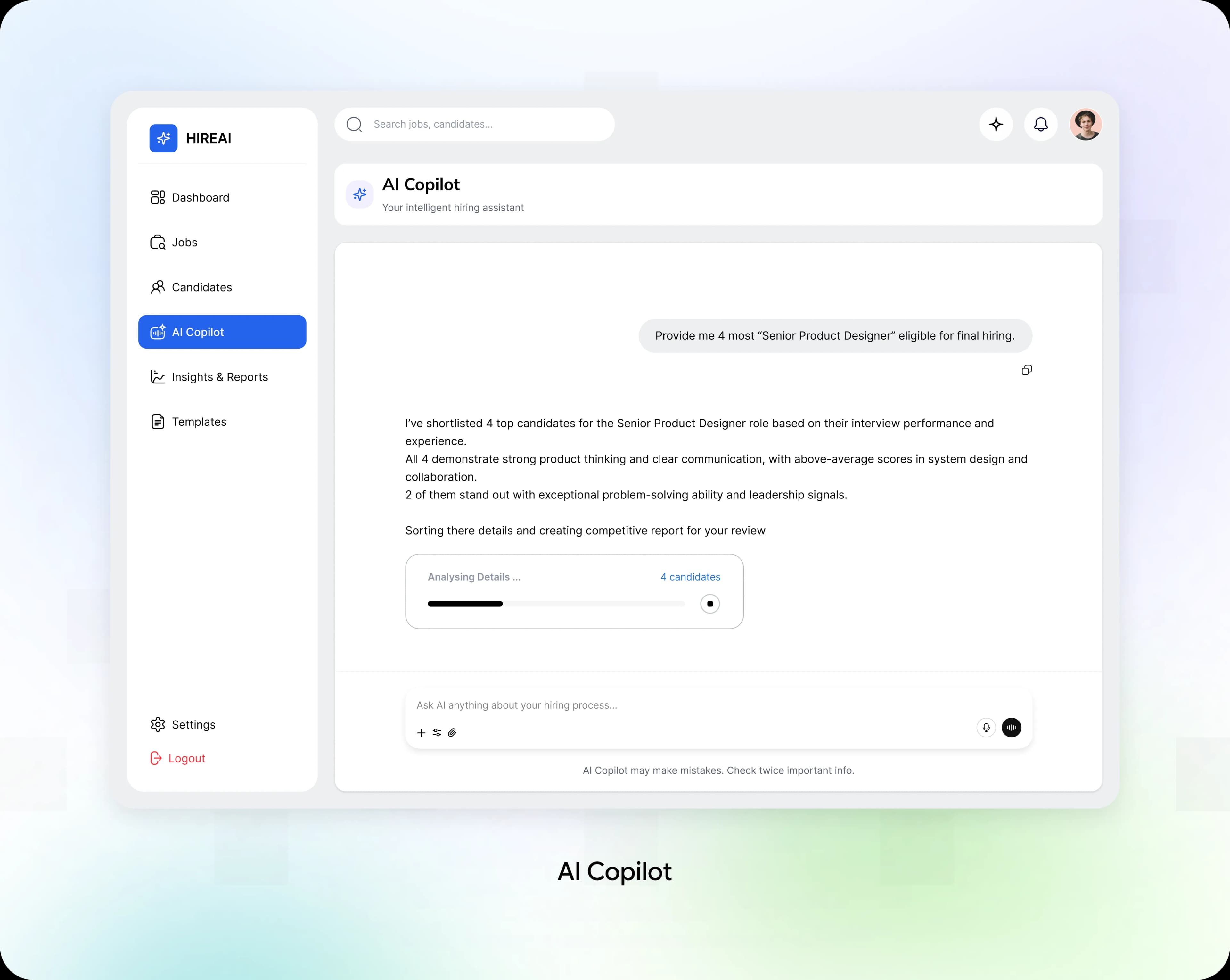
AI Copilot: Support Recruiter Decisions
Recruiters can ask the Copilot to shortlist candidates and compare their experience and interview performance.
Design Decision:
Show analysis progress and a clear reminder to verify important information. AI recommendations support review; recruiters retain the final decision.
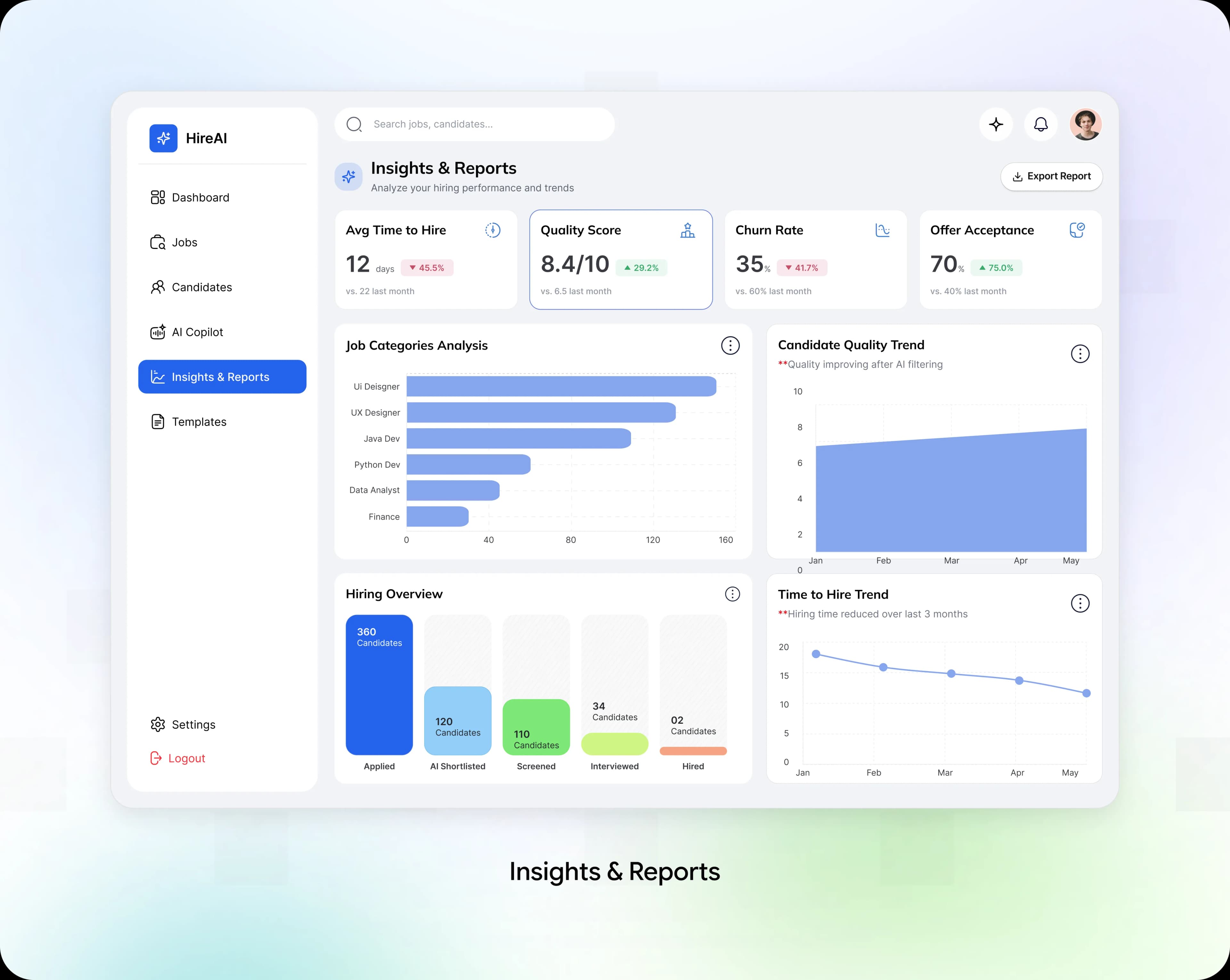
Insights: Understand Hiring Performance
Reports bring hiring volume, candidate quality, time to hire, and offer acceptance into one view, with role and date filters.
Design Decision:
Pair summary metrics with trends and pipeline breakdowns. Recruiters can explore where progress slows and use the findings to guide further investigation.
The Results: What Changed After the Redesign
We evaluated the redesigned recruiter workflow over 6 months, focusing on screening efficiency, candidate quality, and time saved.
The biggest win was reducing manual screening. Recruiters moved from reviewing applications one by one to using AI-powered shortlists to identify promising candidates faster.
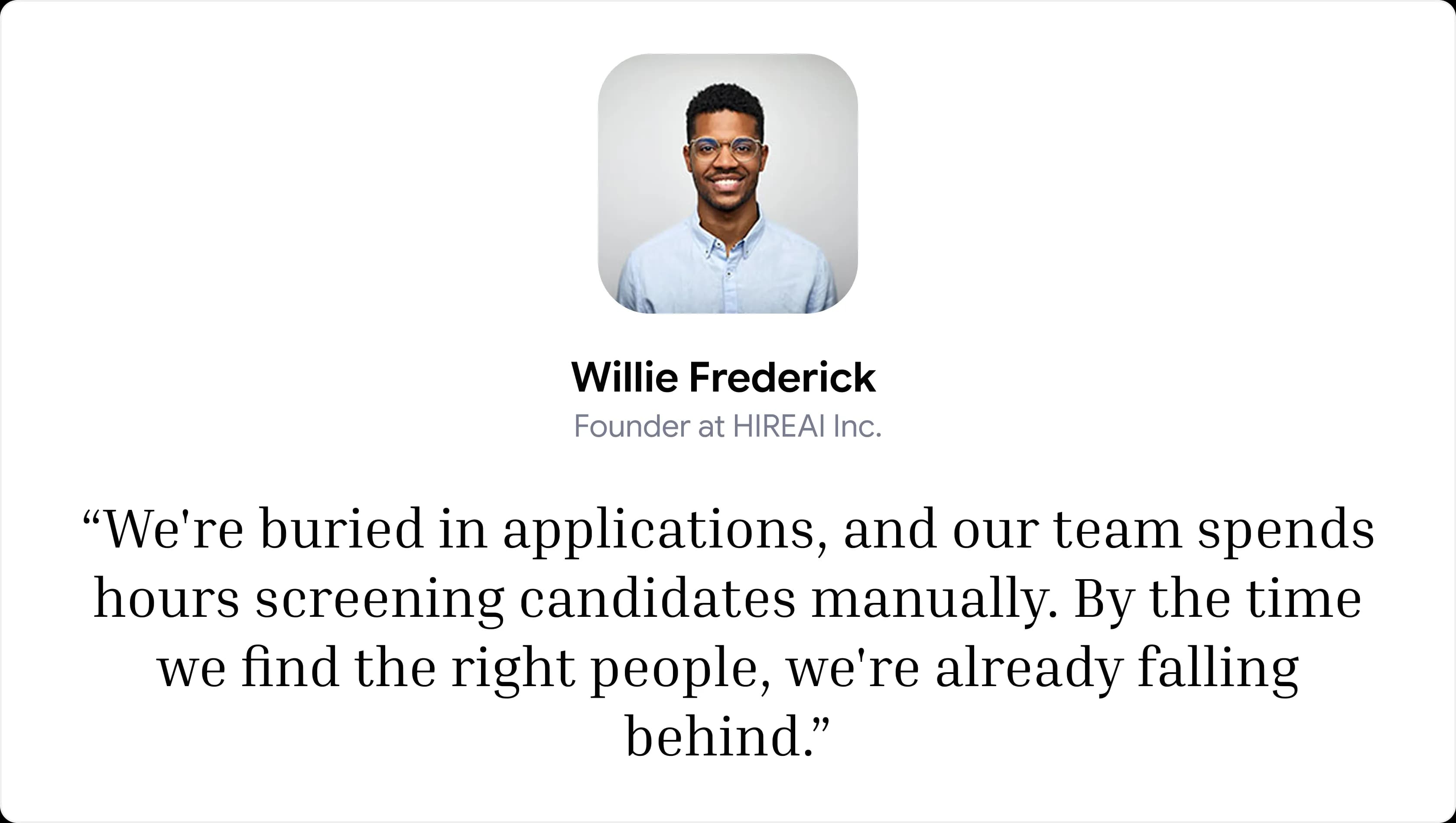
The Founder Put It Best

What We Would Build Next
The recruiter screening problem is solved. Looking ahead, we identified three opportunities to help HIREAI evolve from an efficient screening tool into a more connected hiring ecosystem.
V1: Collaborative Hiring Decisions
Bring recruiters and hiring managers together through shared evaluations, structured feedback, and decision alignment. Why: hiring decisions become more consistent across teams.
V2: Workforce Planning Intelligence
Connect hiring trends with skill demands and team growth plans. Why: recruiters can anticipate talent needs instead of reacting to vacancies.
V3: Continuous Hiring Optimization
Learn from hiring outcomes, recruiter feedback, and candidate progress to identify bottlenecks. Why: every hiring cycle helps improve the next one.
What This Project Taught Us
Four lessons we will carry into every AI product design:
Smart AI Is Not Enough
AI creates value when it turns complex recruitment data into clear, actionable insights.
Automate the Repetitive Work
Reducing manual screening and data entry gives recruiters more time to focus on people.
Keep Recruiters in Control
AI should recommend and prioritize candidates, while recruiters make the final decisions.
Build Trust Into Every Decision
Transparent scores, clear explanations, and reviewable recommendations help recruiters hire with confidence.
What we liked most about this project was balancing AI automation with human judgment, making complex recruitment workflows feel simple, efficient, and trustworthy.
Special Note:
This case study is based on a real client engagement. Certain identifying details have been omitted due to confidentiality requirements.
Thanks For Reading
Explore More of Our Work
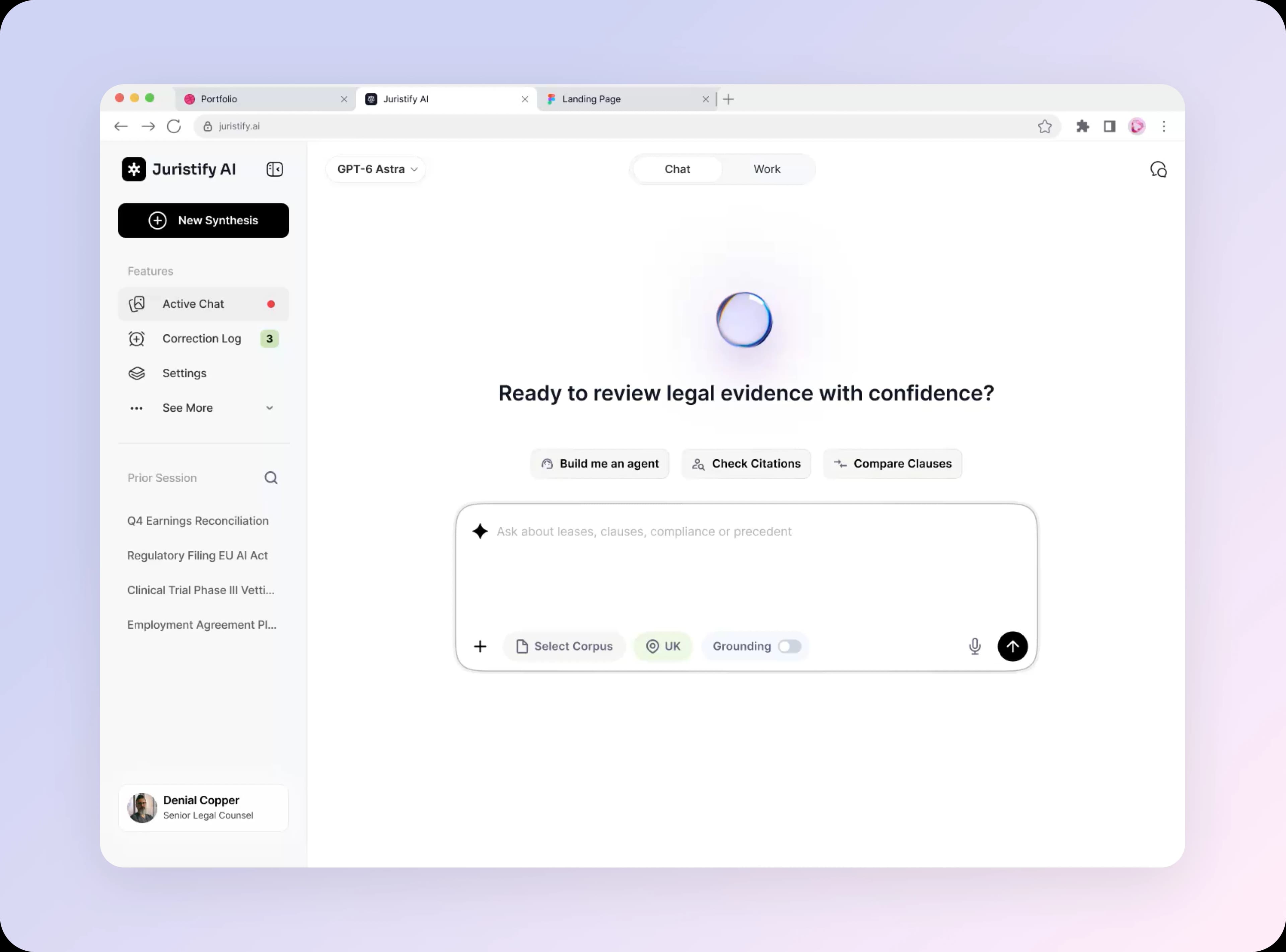
Beyond Confident Answers: Building a Trustworthy AI Agent
View Details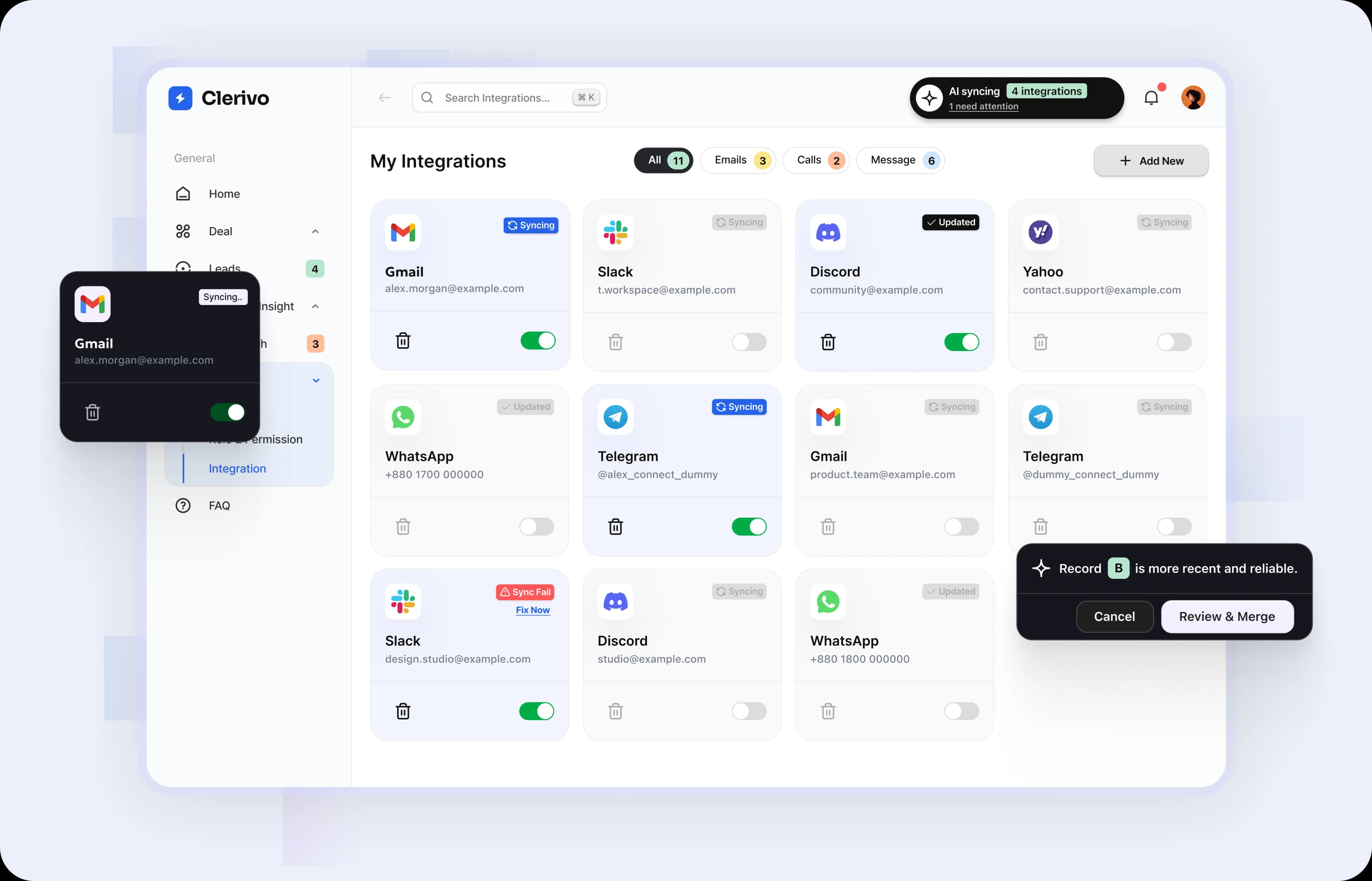
Solving Data Quality Issues in CRM for High-Growth Teams
View Details